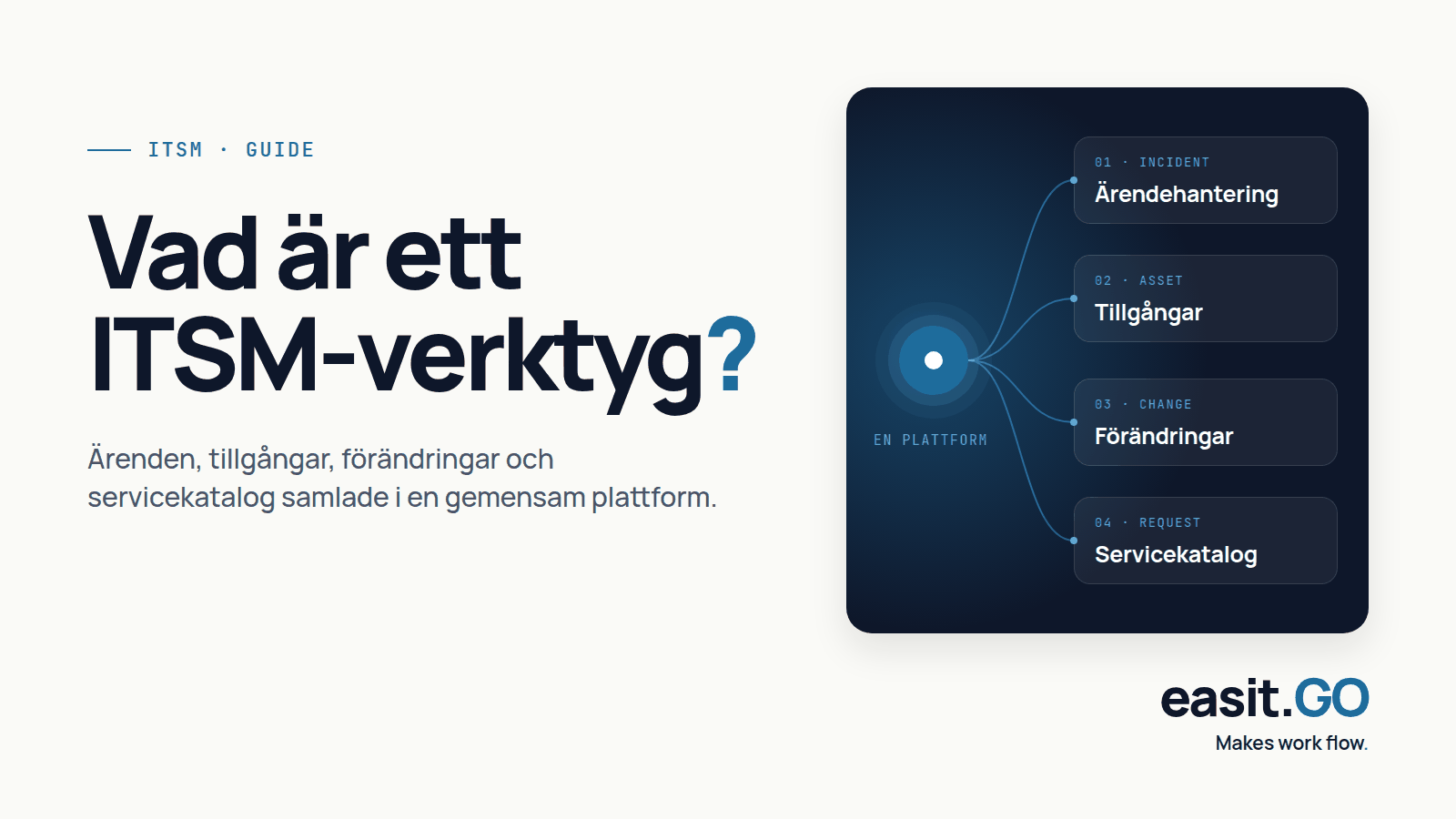
An IT Service Management (ITSM) tool is a software that helps organizations plan, deliver, manage, and improve their IT services. It brings together case management, asset management, change management, and service catalog in a common platform, so that the IT department can work in a structured way and service recipients always know where to turn.
The short version: an ITSM tool is the place where IT work is recorded, assigned, followed up and documented, from initial notification to resolved issues and planned changes.
What is meant by ITSM??
ITSM stands for IT Service Management. It is a way of structuring how an organization manages and delivers IT services to its employees, customers or citizens. Instead of the IT department reacting to problems as they arise, it works with defined processes, service levels and routines.
The idea is that IT should function as a service with known and agreed levels, just like water in the tap or electricity in the wall socket. When something goes wrong, there should be an orderly way to report it, prioritize it and resolve it.
What makes an ITSM tool concrete??
In practice, an ITSM tool manages the entire lifecycle of an IT issue: from the moment an employee reports a problem or orders a service, to the moment the issue is resolved and documented. The tool keeps track of:
- who works with what
- what assets (servers, computers, licenses, mobiles) exist and how they are connected
- what changes in the IT environment are planned or underway
- which agreements and service levels apply
It is also a channel for employees to find answers themselves via a service catalog or self-service portal, without having to call or email the IT department.
Common features of an ITSM tool.
Most ITSM tools cover some or all of the following areas:
- Incident management: quickly restore service disruptions and minimize impact
- Service request: handle requests such as password changes, new equipment, or system access
- Problem management: finding and eliminating root causes so that the same incident does not repeat
- Change management: implement IT changes in a controlled manner with approval flows and risk assessment
- CMDB and asset management: keeping track of IT assets, their relationships and lifecycle
- Service catalog: a menu of available IT services that employees can order from
- Knowledge base: documented solutions and procedures that both IT staff and users can search
The more of these areas that are managed in one and the same tool, the less system switching, double registration and information silos the organization has to deal with.
The difference from a pure case management system.
A pure case management system resolves cases. It is good for saving communication and keeping statistics, but it has no processes outside of the case itself.
An ITSM tool goes further: it manages processes, changes, assets and service catalog in one context. It helps the organization work proactively, not just reactively. Instead of just registering that a server has gone down, the ITSM tool can also show which services and users are affected, connect to the asset database and help the team prioritize the action. Want to understand what a case management system basically is? Read our guide What is a case management system?
ITIL and ITSM: what do they have to do with each other??
ITIL (Information Technology Infrastructure Library) is the most common framework for how ITSM should be organized. It describes best practices for processes such as incident management, change management, and service level management.
Most ITSM tools are designed to support ITIL processes. This means that the tool's workflows, terminology, and roles align with how ITIL recommends working. For an in-depth review of the framework, see the article What are ITIL processes?
What to look for when choosing ITSM tools?
Before you start evaluating options, define which processes you actually need support for. Then, it's wise to ask these questions of each vendor:
- Does the tool support the processes we need, without forcing us into a rigid ITIL template?
- How easy is it to customize flows and forms without consulting help?
- What integrations are available with our existing systems (Active Directory, email system, monitoring)?
- Where is the data stored, and who controls it? (Crucial for the public sector and regulated industries)
- What is included in the license and how much does it cost when you want to expand?
- What support and training is included, and in what language?
For public sector organizations, there is an additional requirement for data sovereignty: that personal data and sensitive information actually stay within Sweden's borders. This limits the number of suppliers that are relevant.
Easit GO as an ITSM tool.
Easit GO is a service management platform built for Swedish organizations. The platform covers incident management, service request, CMDB, change management and service catalog in one tool. It is designed to be customizable without programming, so that each organization can build its own processes on top of a common foundation. More about the platform's structure can be found on the Easit GO.
For organizations in the public sector and regulated industries, data management and AI support designed to work within Swedish and European frameworks, with the ability to run AI models without the data needing to leave the country.

Henrik Traveler
Commercial Product Manager
henrik.resare@easit.com
+46 70 249 36 06