
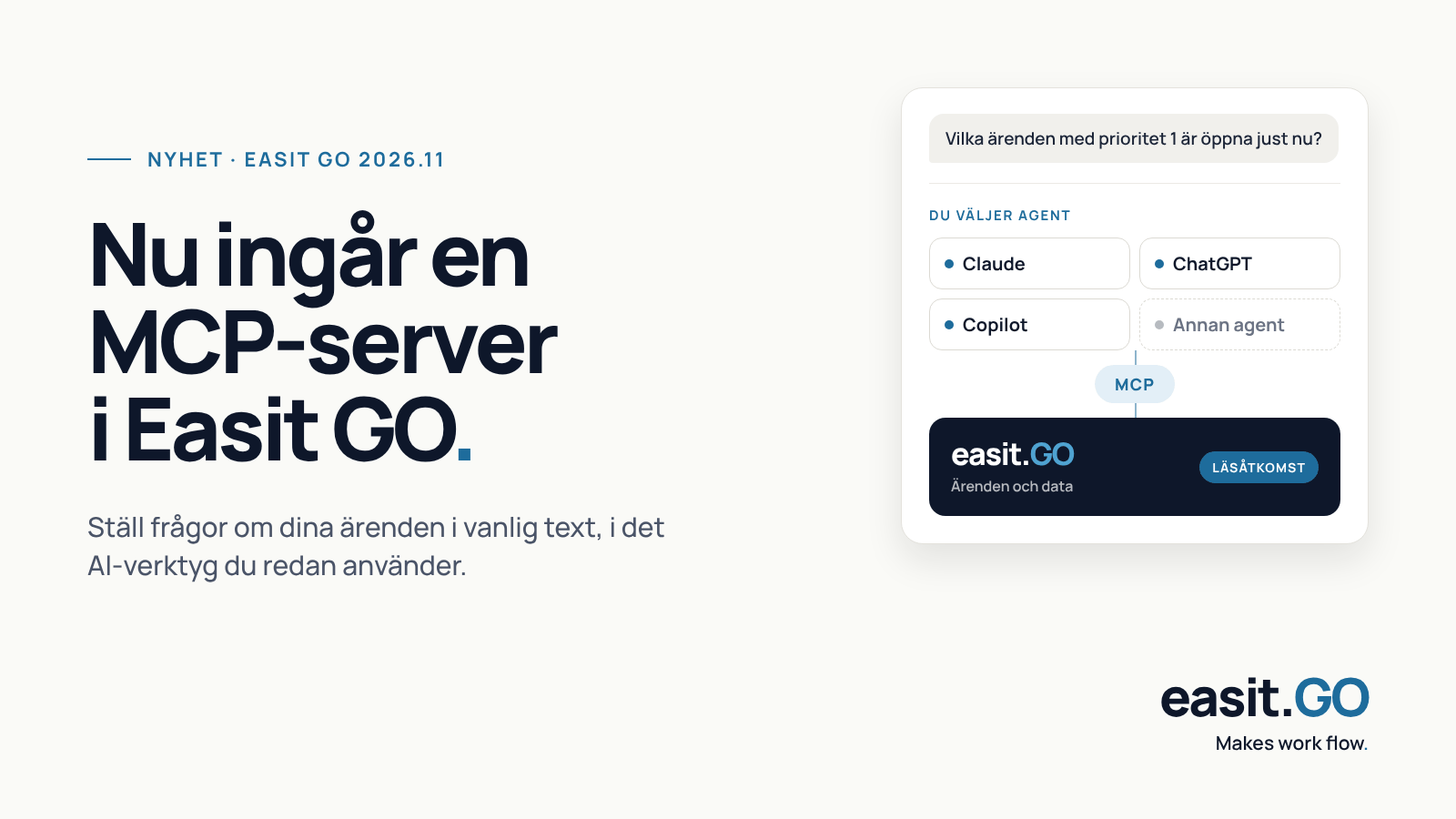
With Easit GO 2026.11, an MCP server is included as standard in the platform. It gives AI agents read access to cases and other data in GO, allowing you to ask plain text questions in the AI tool you already use.
You choose your agent. Claude, ChatGPT, Copilot or any other tool that supports MCP will work, and you can switch AI providers without having to change case management systems.
What is MCP, and what does the server do in Easit GO?
MCP, Model Context Protocol, is an open protocol that allows AI agents to talk to other systems in a standardized way. Think USB-C for AI: the same connector no matter which agent connects.
The MCP server in Easit GO allows an agent to read what you as a user have access to in GO. It can, among other things:
- see which modules you have access to, such as Request, Asset, and Contract
- search for cases and other objects with free text, and count how many match
- retrieve a single object with all field values and view its history
- list object types, attachments, and your views, and search within a view
- look up users and organizations.
The agent thus gets the same picture of GO as you, expressed in natural language. The agent does the rest by combining the answers into a summary, an analysis or a list.
The MCP server complements what is already there. GO Connect and the APIs (REST and GraphQL) are still the way to go when you want to build integrations and automation. MCP is the way to go when you want an AI agent to understand and answer questions about what is in GO.
Read rights: the agent can view, not change
The MCP server in 2026.11 is read-only. An agent can search, retrieve, and summarize, but they cannot create, modify, or delete anything in GO. This makes it easy to get started without worrying about a misunderstanding in a prompt changing a case.
The agent also works with the permissions of the logged-in user. It only sees the modules and views that the user has access to, and the permissions you have already built up in GO also apply when you query via an agent.
One thing to keep in mind is where the responses are processed. The data in Easit GO remains where you have chosen to operate GO, in the cloud or on-premises, but when an agent reads the data, it is sent to the AI model you have chosen. Therefore, choose the supplier and location with the same care as for other systems, for example a model that runs in Sweden if the information requires it.
What can you use it for?
Decide on one question you will ask each week and let the agent take the first turn. Some examples:
- First line. “Which cases in my view have been untouched for more than three days?” The agent searches the view and provides a prioritized list.
- Handover. “Summarize what happened in this case.” The agent reads the fields and history, and you don’t have to scroll through ten comments.
- Management meeting. “How many cases of each type came in last month, and what stands out?” The agent counts the hits and produces a document to discuss.
- Service follow-up. “What does the case picture look like for this service?” The answer is based on current data, not on a report that is already a week old.
- Situation report to the manager. “Give me a brief summary of what is open within Request right now.” A question replaces a meeting or an email.
Combine MCP with the agent's own tools and you'll get more. For example, ask the agent to create a dashboard for the frontline when you need it, or write the weekly report for you based on what they read in GO.
Get started
The MCP server is included as standard in Easit GO 2026.11, so you don't need a separate module to get started. Here's how to get started:
- Upgrade to Easit GO 2026.11, or ask your operations manager to do so.
- Add Easit GO as an MCP connector in the AI agent you are using.
- Link the login to your identity provider (IdP) so that the correct permissions apply.
- Ask an initial question, such as “what modules do I have access to?”, and build from there.
A first contact with AI in GO
The MCP server is an easy way to bring AI into your everyday life without touching your processes. You read and understand more of what's already in GO, when you're ready.
Would you like to know more or try it yourself? Get in touchand we'll show you what it looks like in your environment.

Henrik Traveler
Commercial Product Manager
henrik.resare@easit.com
+46 70 249 36 06